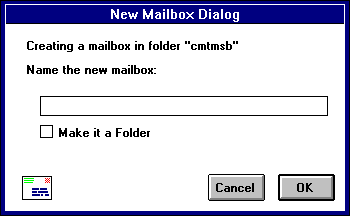
Type in the new mailbox name and click OK. The mailbox is created and added to the Mailbox and Transfer menus.
You can also create mailboxes using Mailboxes window under the Window menu (see the "Mailbox Window" section). The Mailboxes window is most useful if you want to c reate several mailboxes at one time.
To create a new mail folder select New... from the Mailbox menu. The New Mailbox dialog is displayed. Type the name of the new mail folder and check the Make it a Folder option. Click OK to create the folder.
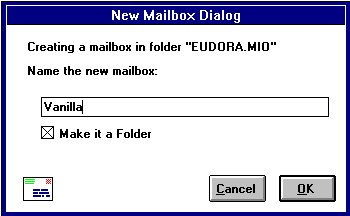
The new folder name is displayed at the bottom of the list of mailbox names under the Mailbox and Transfer menus. There is an arro w next to the names designating it as a folder and not as a mailbox. You cannot transfer messages into this folder however, since messages must be in mailboxes and you have not yet created a mailbox within the folder. Therefore, the New mailbox dialog i s displayed again. Now type the name of the mailbox you want to create within the newly created folder and click OK.
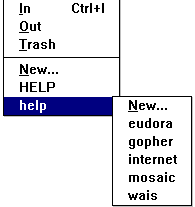
The New Mailbox dialog is displayed. Type in the new mailbox name and click OK. The mailbox is created and added to the Ma ilbox and Transfer menu. You can also create subfolders in the same manner. Just check the Make it a Folder option.