Sometimes it is convenient to save an outgoing message either as a safeguard when typing long messages, or so you can return to it later to edit or add more text.
To save the message while the outgoing message window is open, select Save from the File menu. The message window does not close, but the current version of the message is saved in the Out mailbox. You might notice that the title appearing at the top of the message window changes from No Recipient, No Subject to what you typed in the To: and Subject: fields of the message.
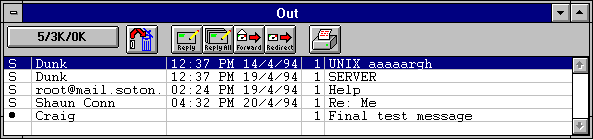
If you now close the message (by clicking the close box in the upper left-hand corner of the me ssage window, or by selecting Close from the File menu), it can be re-opened from the Out mailbox for further changes. As with any message summary listed in a mailbox window, it can be identified by the contents of its To: and Subject: field. A bullet (o), in the far left column of a message summary listed in the Out mailbox indicates that the message is being indefinitely held there and is queueable. Such messages remain in the Out mailbox until they are queued and sent or deleted.
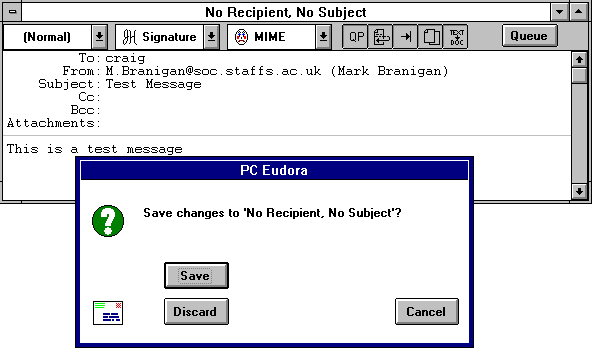
If you try to close an outgoing message window without specifically saving that version of the message, an alert is displayed asking if the message should be saved or the changes discarded. If you select Discard and the message has never been saved, the message is deleted.