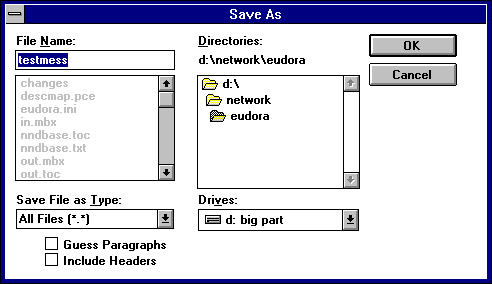
Note the two options at the bottom of the dialog. Guess Paragraphs instructs Eudora to remove extraneo us Carriage Returns from the message, leaving returns only at the ends of paragraphs. In addition, it converts multiple spaces into tabs.
Include Headers instructs Eudora to retain the message's header information in the saved document. If this is unchecked, only the body of the message is saved.
Once you've made your choices, click on the OK button in the dialog.
If you select multiple messages from a mailbox window and select Save As..., all of the messages are saved to a single file.
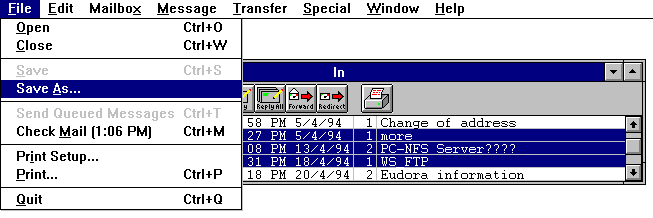
Tip: When Eudora receives a very large message from the POP server, it splits that message into multiple smaller messages. If you need to reassemble the original message, use the Save As... command.