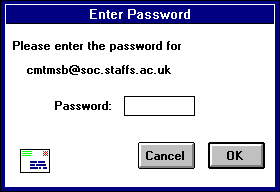
Type in your password and click OK. If you make a mistake before clicking OK, simply backspace and re-enter the password correctly.
If your password is rejected, an error message is displayed indicating that you have entered the wrong password. Select Check Mail from the File menu to redisplay the password dialog.
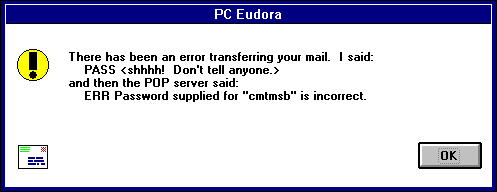
Note: Remember that the Eudora password is case-sen sitive (depending on your POP server), so it must be typed in exactly or it is rejected.
As long as it is running, Eudora remembers your password. If you don't want it to remember (when, for example, you are away from your PC), select Forget Password from the Special menu. At your next mail check you are prompted for your password again.
Another password-related option is Save Password, which is in the Switches... dialog. This option makes Eudora remember your password from one session to the next (you NEVER have to enter your password again, even if you quit and restart Eudora). This option should only be used if your PC is in a secure location.
Finally, the Change Password... command in the Special me nu can be used to change your POP server password if your POP server machine is running a compatible password-change server. You'll be asked to enter your old password once, and your new password twice.
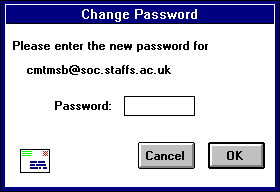
Note: For informati on on password-change servers, see Appendix A of this manual.